Upload2Shell: a Ghostscript flaw turns image previews into command execution on web, mail and print servers
On this page
A picture someone uploads to your site, an attachment someone emails to your staff, or a document sent to a shared printer can end up being processed by Ghostscript, the decades-old interpreter for PostScript and PDF. Researchers at pwn.ai have shown that a bug in Ghostscript lets such a file escape its sandbox and run commands on the server that renders it.
Paulos Yibelo of pwn.ai published the research on 21 November under the name Upload2Shell. The flaw itself, CVE-2026-125396, was fixed in Ghostscript 10.08.0 on 8 September. No attacks have been reported outside the research, and CISA’s assessment on the CVE record lists no known exploitation.
How a picture reaches Ghostscript
Few web applications run Ghostscript directly. They hand uploads to an image
library, usually ImageMagick (or Imagick, its PHP binding), to make a
thumbnail or preview. ImageMagick looks at what’s actually inside the file,
not its name, and if it finds PostScript or PDF it passes the file to
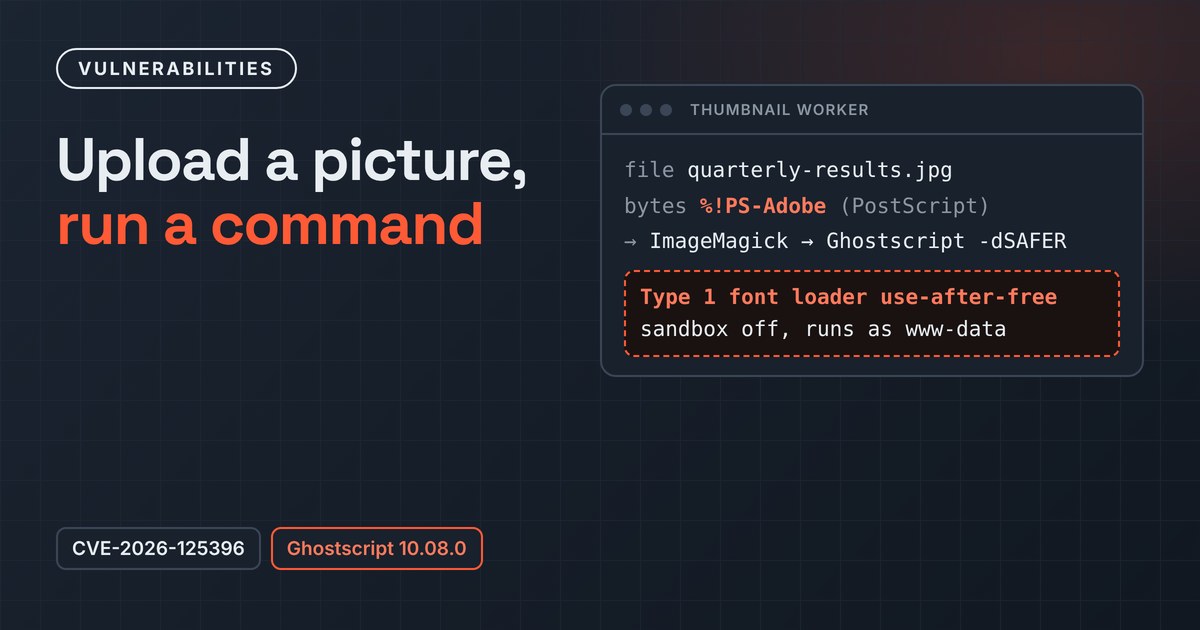
Ghostscript. A file called quarterly-results.jpg that really contains
PostScript gets rendered by Ghostscript.
Ghostscript runs these files with -dSAFER, a sandbox that stops documents
from reading or writing files and running commands. The new bug is a
use-after-free in its Type 1 font loader. According to the CVE record, an
internal routine called a privileged operator without checking what it was
given. By triggering an error and catching it, a crafted document could get
hold of that privileged operation and use it to switch the sandbox off.
The commands run with the permissions of whatever process does the rendering, such as the web server’s account, not as root.
Four ways in
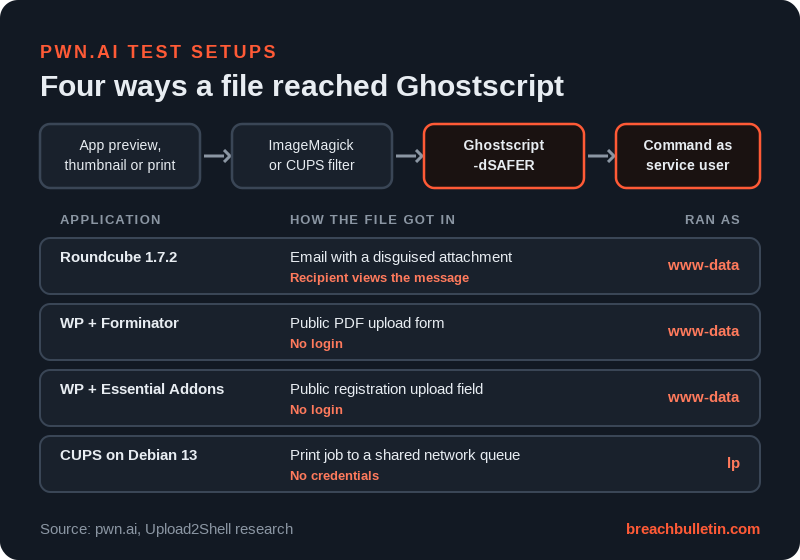
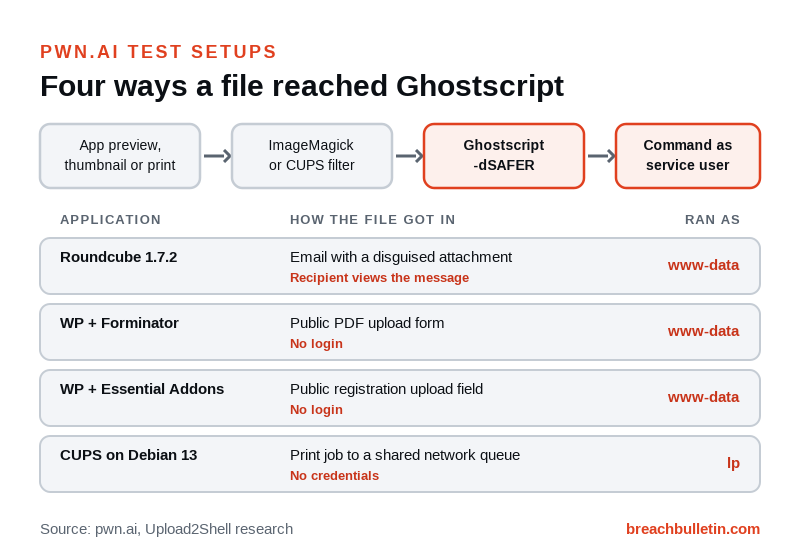
pwn.ai followed the flaw back to the network through several applications:
- Roundcube webmail. An attacker with no account emailed a PostScript file
disguised as a JPEG. When the recipient opened the message, Roundcube asked
for a thumbnail and the command ran as
www-data. The recipient didn’t need to click the attachment. The test needed an ImageMagick configuration that allowed the handoff to Ghostscript. - WordPress. Uploading media needs Author rights or higher, and WordPress tracks that route separately as CVE-2026-65640. But in pwn.ai’s tests, two plugins let signed-out visitors reach the same code: a Forminator form with a PDF field that saves to the Media Library, and the registration widget in Essential Addons for Elementor with an upload field.
- CUPS print servers. On Debian 13, an anonymous print job sent over the
network to a shared queue ran a command as the
lpuser.
pwn.ai says it will publish the individual case studies as a series, and it expects other researchers to find more affected applications. Its tests also reached Ghostscript through image libraries used by AI image tools.
Fixes are out, but check yours
| Software | Fixed in |
|---|---|
| Ghostscript (Artifex) | 10.08.0, released 8 September |
| Debian 13 (trixie) | 10.05.1~dfsg-1+deb13u2 and later (DSA-6516-1) |
| Debian 12 (bookworm) | 10.0.0~dfsg-11+deb12u9 (DLA-4914-1) |
| WordPress core (CVE-2026-65640) | 7.0.4, released 12 August, with backports to older branches back to 4.7 |
Most Linux distributions patch the version they already ship rather than moving to 10.08.0, so the version number alone won’t tell you whether you’re safe. Check your vendor’s package status for CVE-2026-125396. pwn.ai says that as of 12 November, Amazon Linux still listed a fix as pending and several SUSE branches remained affected or in progress. Ubuntu has published fixes for seven releases, and Debian 12 has been fixed since then.
The WordPress update closes the route in WordPress itself, but it doesn’t fix Ghostscript. A site needs both, because plugins and other code can still pass files to the renderer.
Why this keeps happening
File conversion is one of the least visible parts of a web stack. Ghostscript is rarely installed on purpose. It comes with ImageMagick, PDF tools, print systems and container base images, and nobody thinks of it as internet-facing. Yet every service that makes a thumbnail of an upload is, in effect, running an interpreter on a stranger’s file.
Updating the host doesn’t help a container or application bundle that carries its own copy, either. pwn.ai’s advice is to trace the worker that actually makes the preview and confirm which Ghostscript it uses.
What to do
- Find every Ghostscript install, including in container images and bundled applications, and update it to a fixed package.
- Update WordPress to 7.0.4 or the backport for your branch. Review plugins that let visitors upload files to the Media Library.
- Where you can’t patch yet, turn off automatic previews and thumbnails for
untrusted files, or block PostScript and PDF handling in ImageMagick’s
policy.xmlif you don’t need it. - On print servers, require authentication for shared queues and limit which networks can reach them.
- Run rendering in an isolated process or container with a low-privilege account and no access to secrets.
The pattern is familiar from our article on nginx2root in Synology NAS devices: a component that few people think about turns out to be reachable from the internet.